
Web Player Usage Guide
Yinyun provides a modern Web music player at /music for remote playback, search, downloads, and multi-device synchronization.
Core Feature List
Functions currently supported by the Web player:
- Search and Sound Sources: Supports searching across five major music platforms, custom uploading JS scripts or importing URLs to extend sound sources. Now supports searching for albums, artists, and favoriting them.
- Playback Control: Multi-audio quality selection (128k/320k/FLAC/Hi-Res) and automatic downgrade if audio quality fails. Supports speed adjustment (0.5x-2.0x), fade-in/fade-out, and playback progress memory.
- User Interaction: Supports keyboard shortcuts, PWA, song comments, and multiple playback modes (single loop, list loop, random, etc.).
- Synchronization Function: Supports reading and displaying user favorites and playlists saved on the server, and supports hot search display and batch download operations.
- Protocol Support: Fully compatible with the Subsonic protocol, allowing you to use various Subsonic clients (e.g., Yinliu, Feishin, etc.) to connect.
- UI Experience: Audio waveform display at the bottom, built-in 5 types of themes, sleep timer.
- Lyric Extension: Supports displaying translation and romaji, supports Karaoke word-by-word high-light rendering, and supports sharing lyric images.
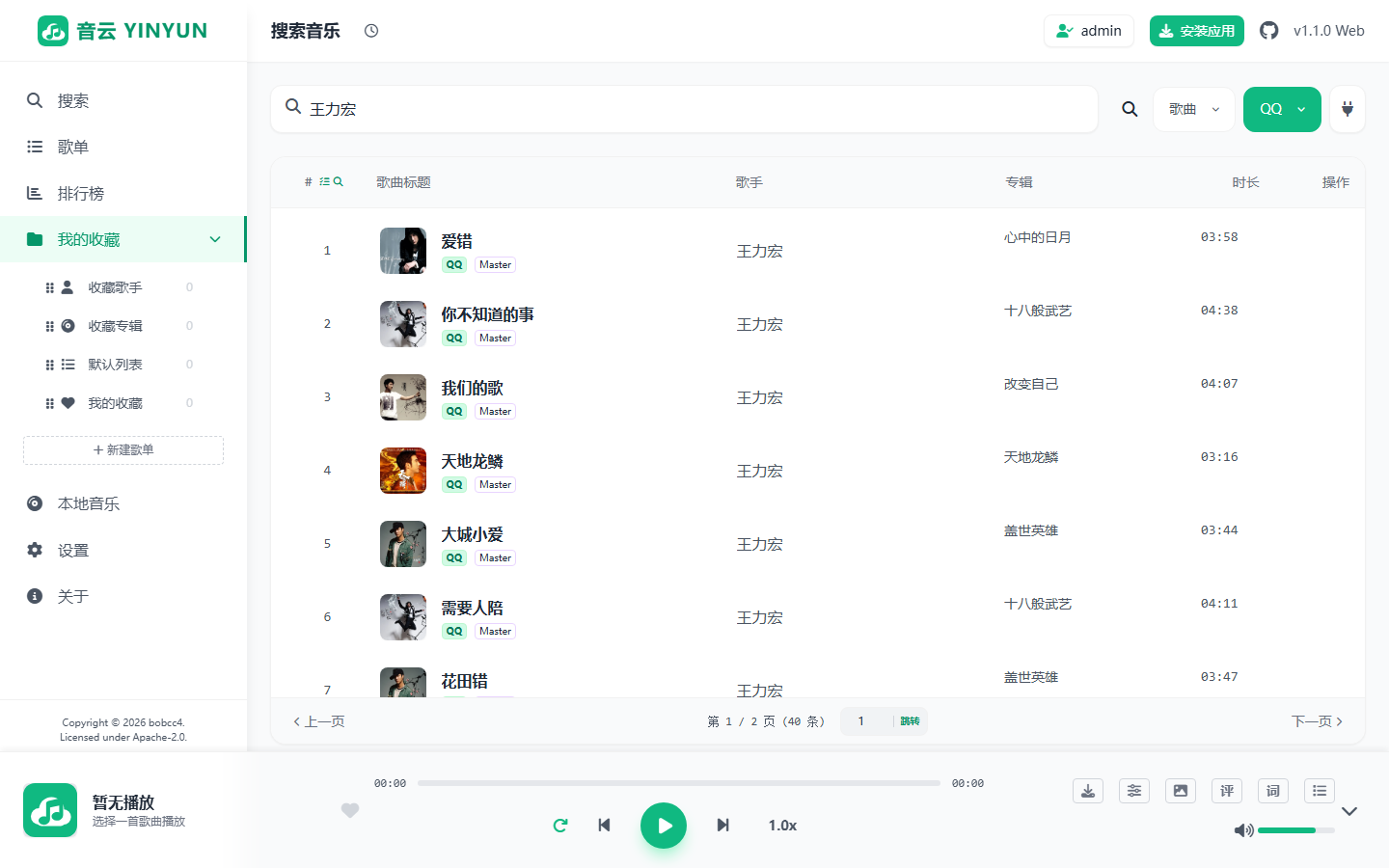
Access the Player
Default access address: Example: http://IP:9527/music
If the administrator has set ENABLE_WEBPLAYER_AUTH = true in the server environment variables, the set WEBPLAYER_PASSWORD must be entered every time this page is opened to enter the playback interface.
Core Mechanism Description
The Web player adopts the following mechanisms for requests and caching:
1. Account Isolation and Management Mechanism for Sound Source Scripts
To prevent users from affecting one another, custom sources are available only to the currently authenticated sync user and are isolated by account:
- Account-owned storage: Uploaded or imported JavaScript source scripts are stored under
data/users/source/{username}. - Independent state: Each user can only view, enable, disable, and delete their own custom sources.
- Independent ordering: Drag-and-drop ordering is saved only in the current user's directory and does not affect other users.
- Per-source platform selection: Each user can independently choose which platforms an owned or shared source may resolve. A shared script exposes all supported platforms without inheriting the owner's selection.
- Authentication required: Custom sources cannot be read or managed without signing in to a sync account.
2. Automatic Quality Downgrade
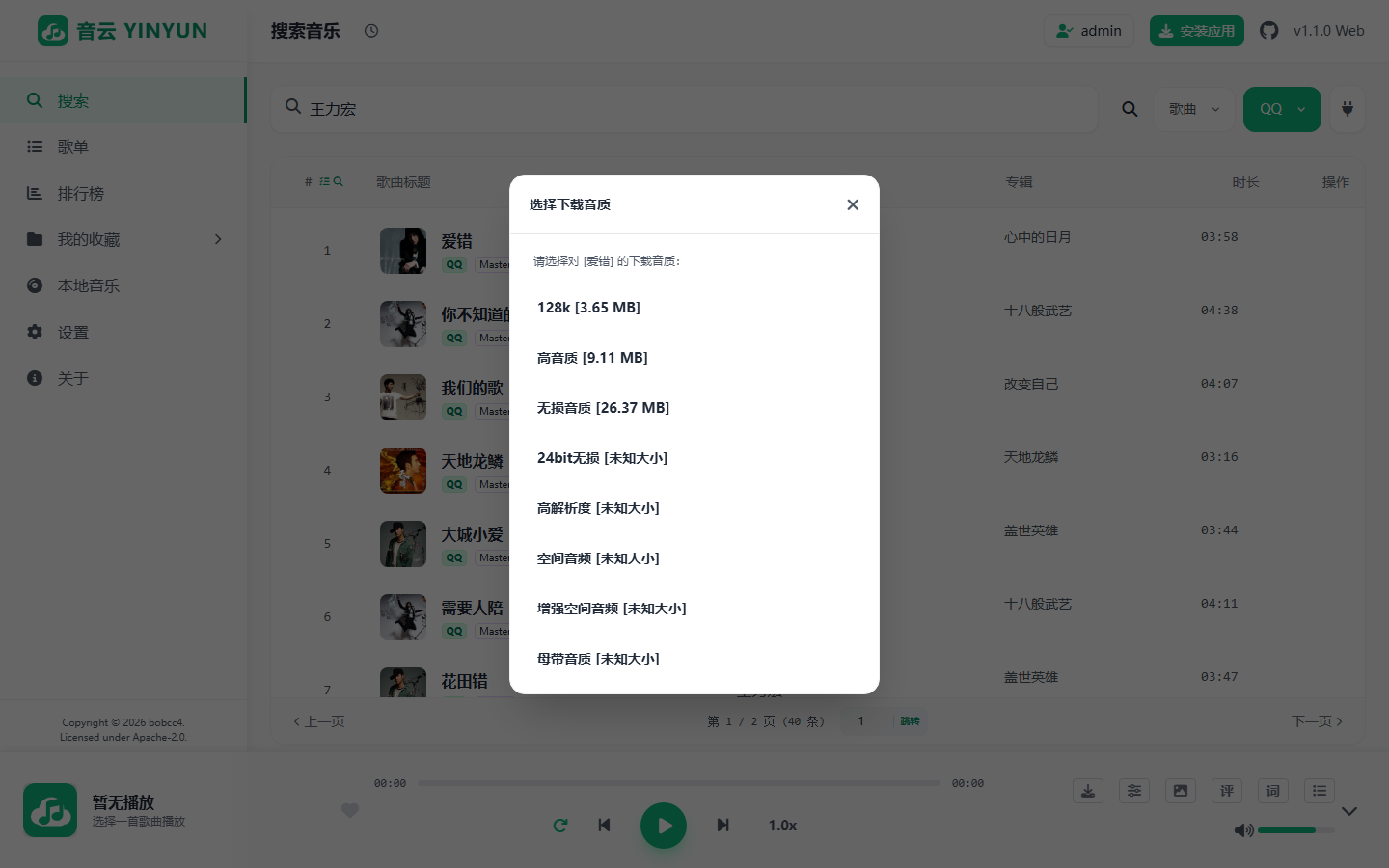
The player supports 128k, 320k, flac, flac24bit, hires, atmos, atmos_plus, and master, with lossless (flac) as the default. If the selected quality is unavailable, the resolver tries lower supported levels instead of failing immediately.
The download dialog resolves and displays the file size and final source platform before a task is created.
3. Data Layer Proxy Forwarding
To avoid cross-origin blocking (CORS) that may be encountered when the browser directly fetches online music links: If Playback Music Proxy or Download Music Proxy is enabled in settings:
- The front-end browser will no longer directly request the real music direct link, but instead request this LX Node server built by you.
- After the server-side obtains the real music data stream in the background, it will then directly forward it to your front-end browser in packets, thereby bypassing cross-origin restrictions.
In addition, the Web player also supports the Auto Proxy function:
- Mixed Content Protection: When you deploy the service under the HTTPS protocol, the browser will default to blocking media resource requests under the HTTP protocol (i.e., "mixed content" restriction) for security considerations.
- Intelligent Identification: After "Auto Proxy" is enabled, if the system detects that it is currently in an HTTPS environment and the obtained sound source link is the HTTP protocol, it will automatically transfer this request to be proxied by the server side. This mode not only solves the playback compatibility problem under HTTPS, but also retains the direct connection response speed when the sound source itself supports HTTPS.
4. Storage and Three-level Cache Mechanism
To reduce repetitive network requests and improve playback speeds, playback requests undergo hierarchical processing involving two core physical directories:
Directory Differences and Usage:
/cacheDirectory (Temporary Cache): If "Cache song files" is enabled in settings, audio will be automatically downloaded and saved here during the first playback./cacheis intended as a temporary directory; the system may automatically clean up old files based on settings (e.g., if space limits are exceeded)./musicDirectory (Persistent Library): This is a persistent directory intended for long-term storage. You can manually place external songs here via the file system or management console.- Data Migration: In the Local Music interface, you can choose to "move" cached files from the
/cachedirectory to the/musicdirectory. Once moved, the file is saved as a persistent resource and will not be automatically deleted by cache cleanup logic.
Cache Levels:
- Level 1 (Physical File): The player first checks for matching physical files in
/musicand/cache. If found, the server transfers the local file to the front-end (supporting 206 Partial Content break-point pulling), allowing for lag-free progress bar dragging. - Level 2 (Link Cache): Successfully direct link URLs are saved in the browser's LocalStorage.
- Level 3 (Real-time Parsing): When no physical file is found in local directories and the historical link has expired, the system re-fetches a new link via source scripts.
Player Settings
The settings page controls quality, caching, downloads, proxy routing, lyrics, themes, audio effects, and account-owned custom sources.
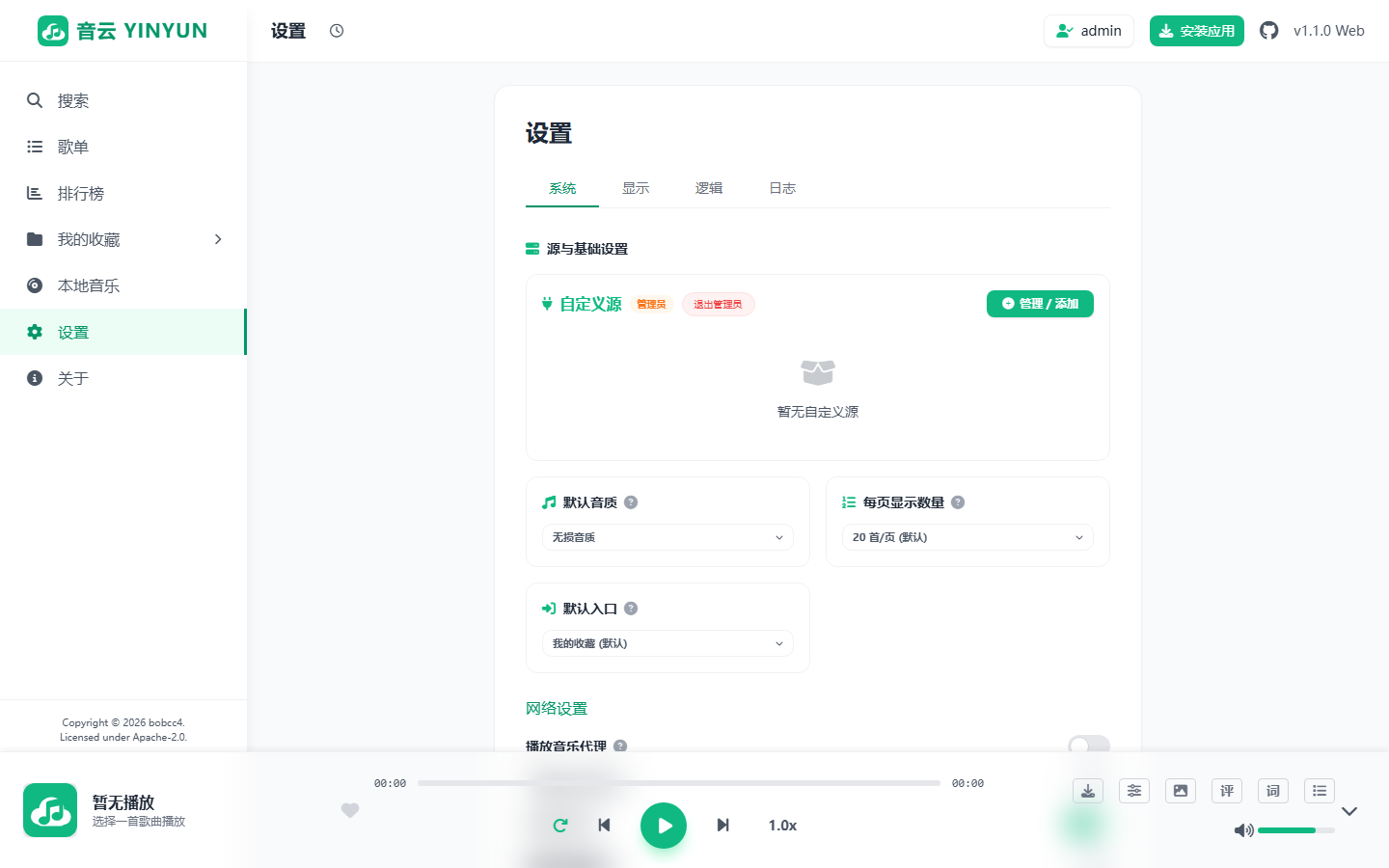
⚠️ Data Space Cleanup: Clicking the various sub-item "Cache Cleanup" buttons in the player settings interface will issue a cleanup instruction for the specified directory (calling
fs.unlinkSync, etc.) to the server side, truly deleting historical download files and link records existing on the hard disk or LocalStorage.